Category Archives: HP

Windows 7, 2008 R2 and SBS 2011 (RTM or SP1) – You may experience slow printing performance when compared to previous versions of Windows

You may experience slow printing performance in Windows 7, Windows Server 2008 R2 or SBS 2011.  This is when compared to previous versions of Windows such as Windows Vista or Windows Server 2008.

A hotfix KB 2526028 is available to improve the overall printing performance of these current desktop and server operating systems can be obtained from Microsoft.

http://support.microsoft.com/kb/2526028

Verify the Health and Operation of your Intel® Processor with the Intel® Processor Diagnostic Tool

A 32 and 64 bit version of the IPDT or Intel Processor Diagnostic Tool can be downloaded from here: http://www.intel.com/support/processors/sb/CS-031726.htm

You can also see a video on how to use it here: http://www.youtube.com/watch?v=tpPOqh_Bq78

You can use the diagnostic tool to test the various features of your Intel Processor and perform a stress test to ensure that it is operating in a  stable manner.

Intel Network Adapter Diagnostics May Wrongly Report that the Network Cable is over 100 Metres Long

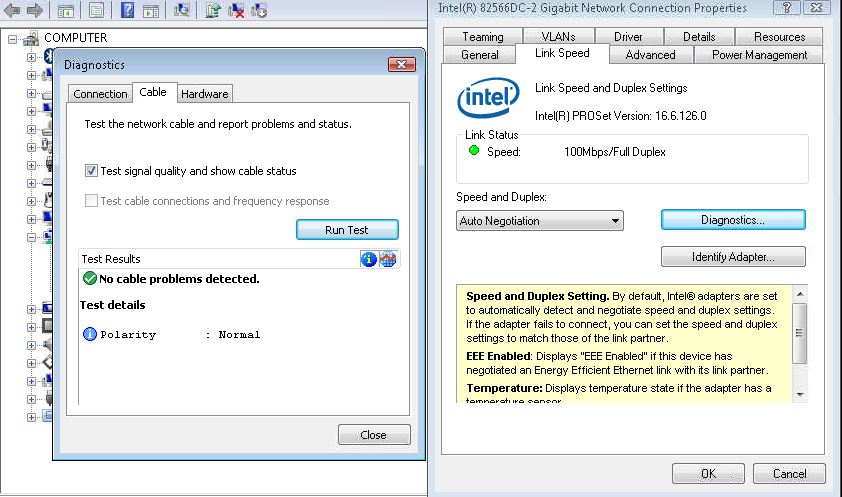
When you run a Cable diagnostic using the Intel PROSet Network Adapter Diagnostics you may find that the utility incorrectly reports that your network cable is over 100 Metres and/or that the Cable is faulty/poor.

This issue can occur if you have a network switch that implements “power Saving” or “Green Ethernet” this feature is meant to reduce the power to a network port that is supporting a device with a short network cable run.

This “power saving” or “Green Ethernet” feature can cause the diagnostics to fail and can sometimes contribute to network drops and/or poor network throughput.  If you have a managed/smart switch then you can normally login via a browser and “Disable” this feature to correct the issue.

Microsoft Windows based Computers and Laptops – Slow System Startup with Realtek HD Audio Chipset

You may find that Windows based computers and laptops are very slow to startup and in some instances slow to shutdown.  This has been witnessed when out dated drivers are installed for the integrted Realtek HD Audio Chipset.

The Realtek HD Audio drivers offered on Microsoft Update are often dated 2005 and are many years behind those available directly from the Audio Chipset manufacturer.

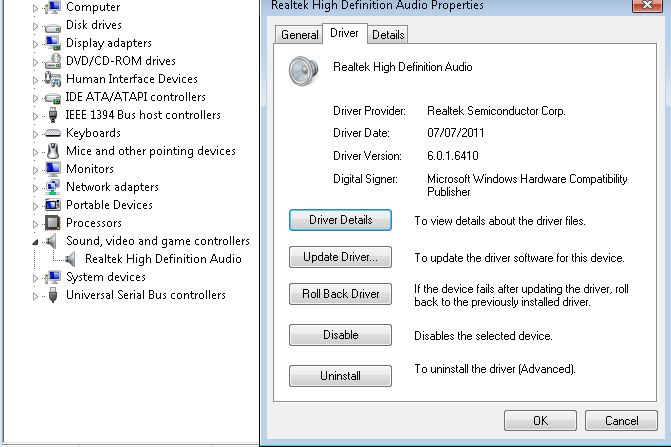
You can verify your current Audio Chipset and Driver version from “Device Manager”

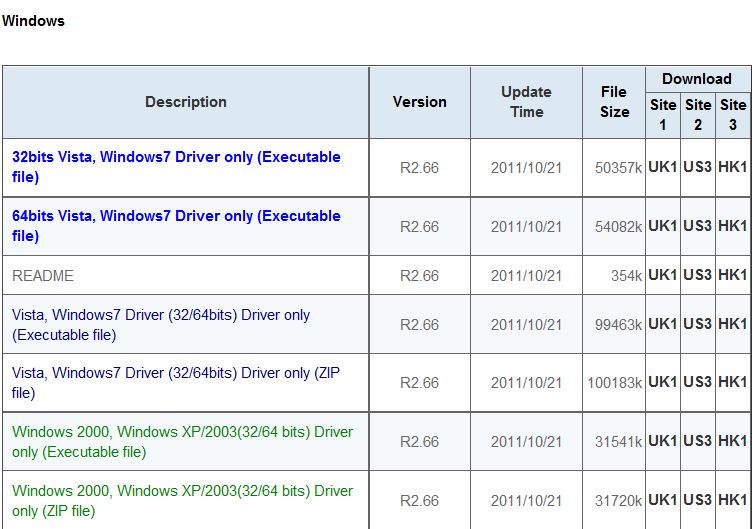
Please visit http://www.realtek.com/downloads/ to find and download the latest applicable drivers for your Windows system.  They will usually reference the drivers as “High Definition Audio Codecs (Software)” and then under Windows the list Operating System Compatability for each system and provide several download links based upon locations around the world.  Downloads from the Realtek site can be slow at busy times of the day so you may need to be patient and/or download outside peak hours.

As you can see from the table the current drivers from Realtek Support are dated 21st October 2011 and are usually updated every 1-2 months, it would be worth updating to the latest release to resolve your slow startup times and then add updating your audio drivers into your usual computer maintenance schedule.  Once you have updated remember to check Device Manager to ensure that the latest drivers are actually installed and that the device is operating correctly.